 Search
 Member List
 Calendar
 Help
 VoIP Call Provider - Discussion Forums for the VoIP Call Provider
 VoIP Call Provider MarketPlace
Sell VoIP Routes
 WINDOWS 2012 Server Manager
|
WINDOWS 2012 Server Manager
|
|
04-07-2014, 12:26 AM,
|
|||
|
|||
|
WINDOWS 2012 Server Manager
As a Windows Administrator, you’re likely to spend most of your time in Server Manager, the central application from which to manage one or several Windows systems. From Server Manager, you can edit your computer name, join a domain or workgroup, change your IP address settings, change your remote desktop settings, manage IIS, manage storage, check events, add roles, add features, and much more. 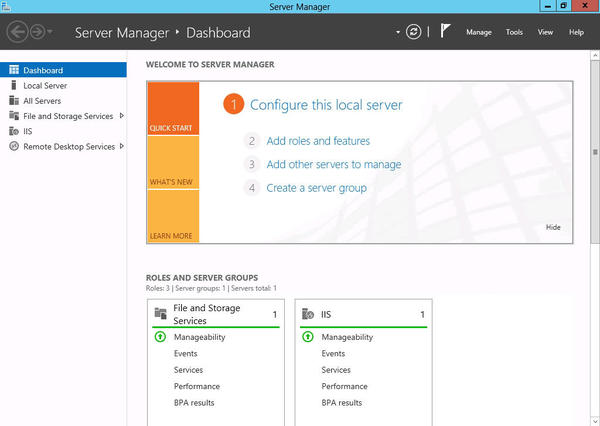 Server Manager’s new features include: Batch deployment Management tools integration Easier server configuration and deployment Multiserver visibility Installation of roles and features to remote servers Workload deployment to remote systems IT system administrator groups are already planning on 2012’s multiserver management capability by creating management virtual machines, whose sole purpose is to provide a consistent management console to administrators. Beyond the requirement to provide access to several simultaneous administrators, the virtual machine has no special prerequisites.
fasily2k, proud to be a member of VoIP Call Provider - Discussion Forums for the VoIP Call Provider since Jan 2014.
|
|||


|
« Next Oldest | Next Newest »
|
